
Image to PDF Converter
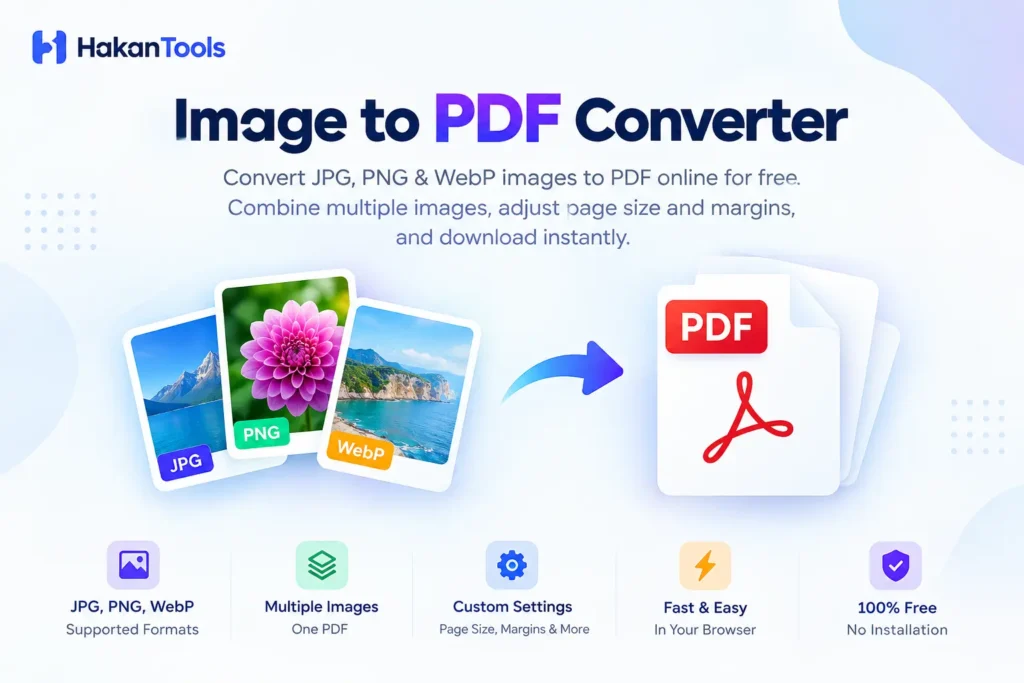
Convert your images to PDF quickly with our free Image to PDF Converter. Upload JPG, JPEG, PNG, or WebP images, arrange them in the order you want, choose your page size and margins, and create a PDF in seconds. You can combine multiple images into a single PDF without installing additional software.
Image to PDF Converter
Turn JPG, PNG and WebP images into a clean PDF in seconds. Everything happens in your browser.
Drop images here
or choose JPG, PNG or WebP files
Multiple images supported · processed locallyFree Image to PDF Converter
HakanTools Image to PDF Converter lets you turn images into PDF files directly in your browser. It supports common image formats including JPG, JPEG, PNG, and WebP, making it useful for documents, scanned pages, receipts, notes, photos, forms, and other images you want to save as a PDF.
You can upload multiple images, preview them before conversion, choose the page format, adjust the orientation and margins, and combine everything into one PDF file. The conversion happens in your browser, so your images don’t need to be uploaded to a server for processing.
When you’re finished, simply generate the PDF and download it to your device.
How to Convert Images to PDF
Converting images to PDF with HakanTools only takes a few steps:
- Upload your images
Select JPG, JPEG, PNG, or WebP images from your device, or drag and drop them into the converter. - Arrange your images
Review the uploaded images and organize them in the order you want them to appear in the PDF. - Choose your PDF settings
Select a page size such as A4, Letter, or Fit to Image. You can also choose the page orientation and margins. - Choose the quality
Select the output quality that best fits your needs, from higher quality to a smaller file size. - Create your PDF
Click the conversion button to generate your PDF. - Download the PDF
Once the conversion is complete, download the finished PDF to your device.
Supported Image Formats
HakanTools Image to PDF Converter supports several popular image formats:
- JPG / JPEG – Ideal for photographs and standard images.
- PNG – Useful for screenshots, graphics, documents, and images with transparency.
- WebP – A modern image format commonly used on websites and modern devices.
You can combine multiple supported images into a single PDF document.
Image to PDF Converter Features
Convert Multiple Images
Combine several images into one PDF instead of creating separate PDF files for each image.
JPG to PDF
Convert JPG and JPEG images into PDF documents quickly.
PNG to PDF
Turn PNG images, screenshots, graphics, and scanned pages into PDF files.
WebP to PDF
Convert WebP images into a PDF when you need a more widely compatible document format.
Drag and Drop
Add images quickly using the drag-and-drop upload area.
Image Preview
Preview your selected images before generating the PDF.
Custom Page Size
Choose A4, Letter, or Fit to Image depending on how you want your PDF to look.
Portrait or Landscape
Select portrait or landscape orientation for better control over the final document.
Adjustable Margins
Choose from different margin options to control spacing around your images.
Quality Options
Select an output quality based on whether you prioritize image quality or a smaller PDF file.
Browser-Based Processing
The conversion is performed directly in your browser, so your images don’t have to be uploaded to a conversion server.
What Can You Use an Image to PDF Converter For?
An image-to-PDF converter can be useful in many everyday situations.
Scanned Documents
Turn scanned pages into a single PDF document for easier storage and sharing.
Receipts and Invoices
Combine photos of receipts, invoices, or payment documents into one PDF.
School and College Work
Convert photos of handwritten notes, assignments, worksheets, or study material into PDF files.
Business Documents
Create a PDF from photographed forms, documents, reports, or printed materials.
Photos
Combine multiple photographs into a single PDF album or document.
Screenshots
Turn screenshots into a PDF when you need to share several images as one file.
Forms and Applications
Convert photographed or scanned application pages into a single PDF document.
JPG to PDF Converter
Need to convert JPG images into PDF files? HakanTools makes it easy to turn one or multiple JPG or JPEG images into a single PDF document.
Upload your JPG images, arrange them in the required order, select your preferred page settings, and create your PDF.
You can use the converter for photographs, scanned documents, receipts, screenshots, and other JPG images.
PNG to PDF Converter
Convert PNG images into PDF documents directly from your browser. Upload one or multiple PNG files, customize the PDF page settings, and generate your document without installing desktop software.
PNG files are particularly useful for screenshots, graphics, scanned pages, and images that require transparency.
Convert Multiple Images to One PDF
You don’t have to convert your images one at a time. HakanTools lets you select multiple JPG, JPEG, PNG, or WebP images and combine them into a single PDF.
This is useful when you have several scanned pages, receipts, photographs, screenshots, or document images that need to be shared as one file.
Upload your images, arrange them in the desired order, select your PDF settings, and generate one combined PDF.
Are My Images Uploaded?
The Image to PDF Converter is designed to process your images directly in your browser. Your selected images do not need to be uploaded to a remote conversion server for the conversion process.
This can make browser-based conversion convenient when working with personal documents, screenshots, receipts, or other files you prefer to keep on your device.
For important or sensitive documents, you should always review your browser, device, and network environment before processing files online.
Frequently Asked Questions
What is an image to PDF converter?
An image to PDF converter is a tool that converts image files such as JPG, PNG, JPEG, or WebP into PDF documents.
Can I convert JPG to PDF for free?
Yes. HakanTools provides a free JPG to PDF conversion tool that can convert one or multiple JPG images into a PDF.
Can I convert PNG to PDF?
Yes. You can upload PNG images and convert them into a PDF document.
Can I convert multiple images into one PDF?
Yes. Multiple supported images can be combined into a single PDF file.
Does the converter support WebP?
Yes. The HakanTools converter supports WebP images along with JPG, JPEG, and PNG.
Can I choose A4 PDF size?
Yes. The converter includes an A4 page-size option, along with other page-size settings.
Can I choose portrait or landscape?
Yes. You can select portrait or landscape orientation when creating your PDF.
Do I need to install software?
No. The converter works in your web browser, so you can use it without installing a separate desktop application.
Can I convert photos into PDF?
Yes. You can use the converter to turn photographs into PDF files and combine multiple photos into one document.
Is the image to PDF converter free?
Yes. HakanTools provides the Image to PDF Converter free to use.
You May Also Like ⩥
compress your images before converting them to PDF
resize your images before creating a PDF
count words in your document
PDF tools
explore more PDF tools
Example
If your images are too large, you can first use our Image Compressor to reduce their file size before converting them to PDF.